Invoices that get paid
Create an invoice in seconds, email the invoice to your customer as a PDF attachment, download or print it, and track open, sent, overdue, and paid.
Bookkeeping software for US & Canadian solo businesses
Send invoices, track expenses, and close your month with real double-entry reports - without a $30/month subscription or an accountant's learning curve. Built for freelancers and small businesses in the United States and Canada.
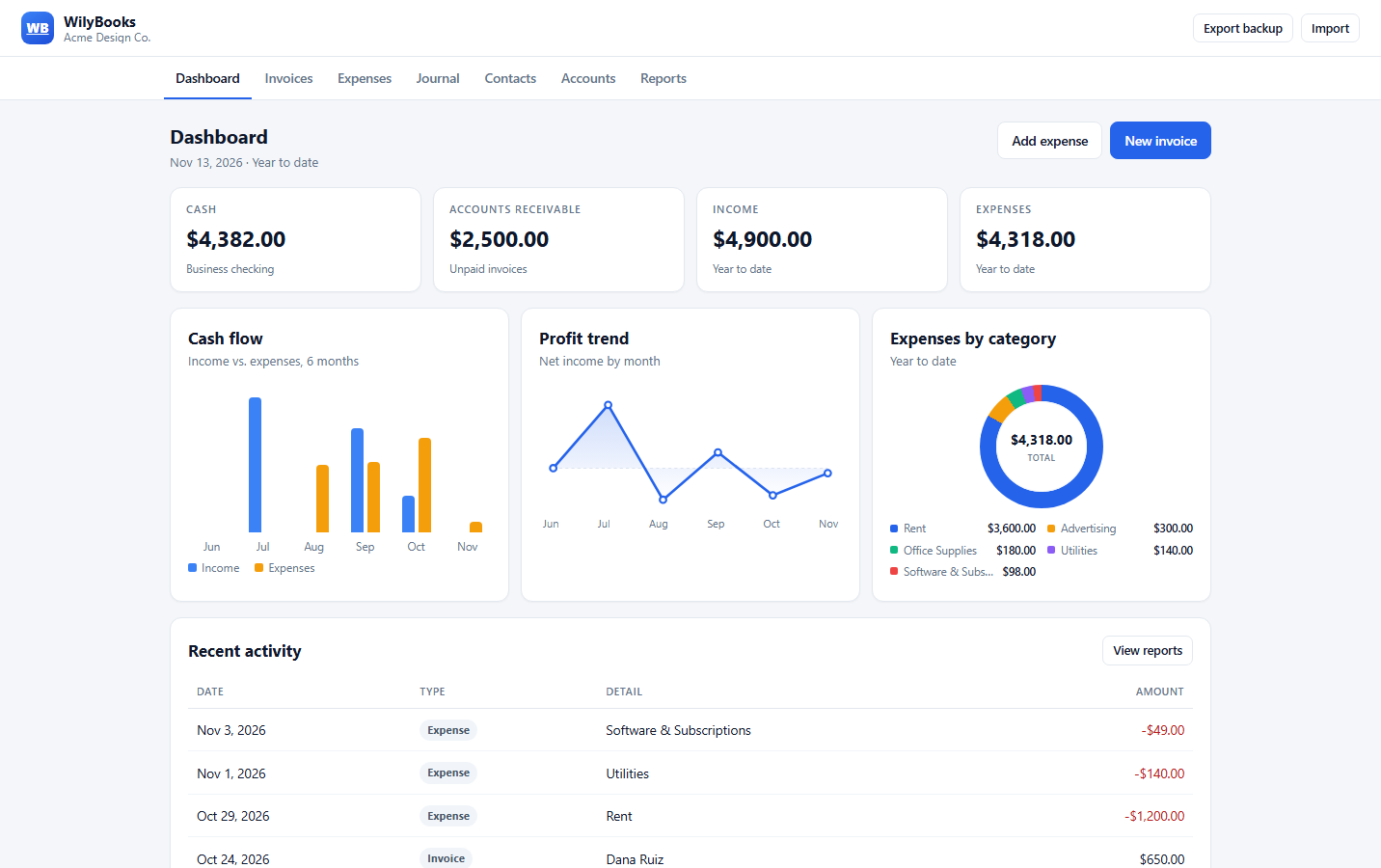
Everything in one place
Built for freelancers, contractors, and small shops that need clean records - not a full finance department.
Create an invoice in seconds, email the invoice to your customer as a PDF attachment, download or print it, and track open, sent, overdue, and paid.
Record a purchase, pick the category, and the ledger and reports update automatically. No separate bookkeeping step.
Invoices and expenses post balanced debits and credits. Open the journal and chart of accounts whenever you want to check the detail.
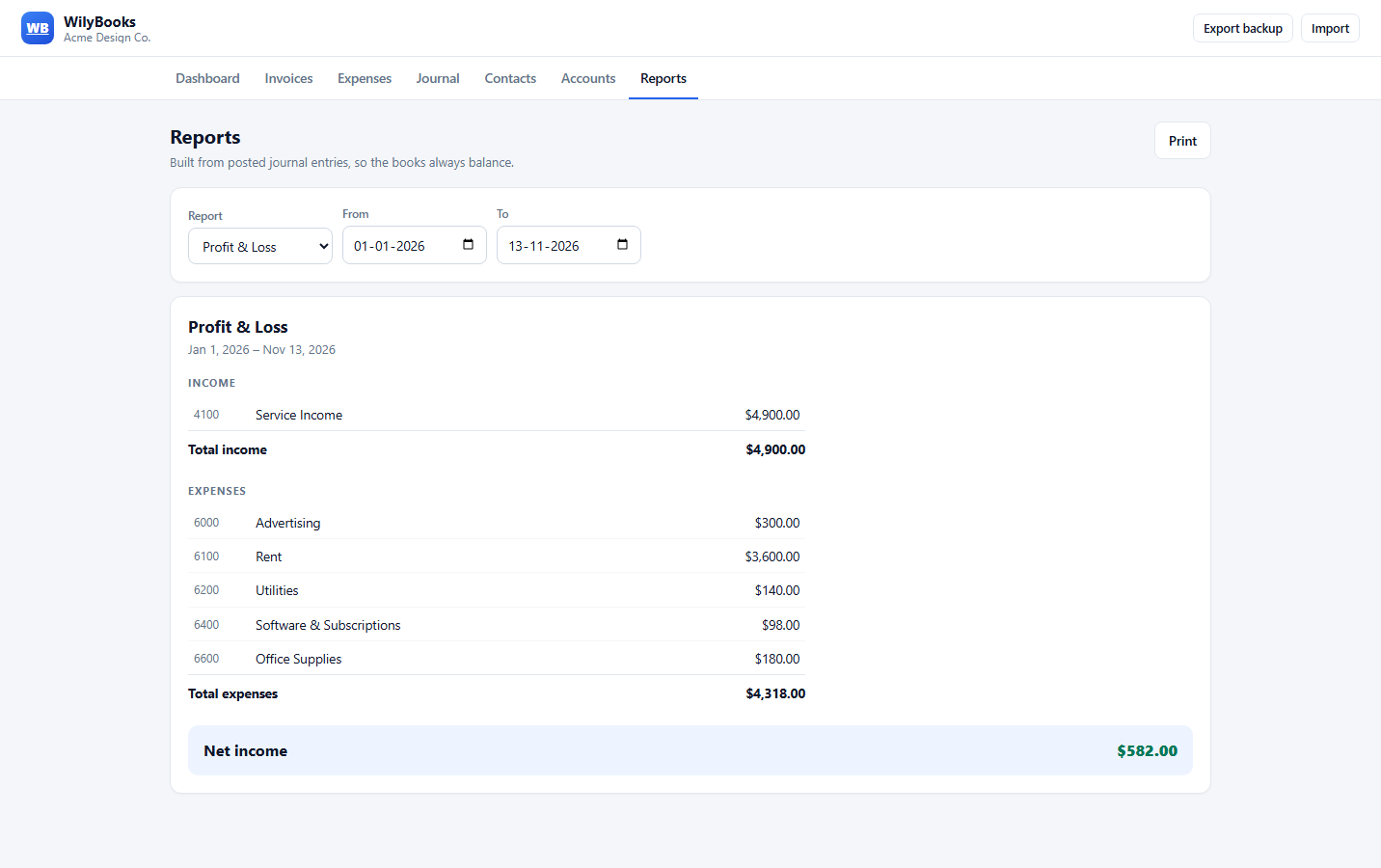
Profit & loss, balance sheet, and trial balance for any period. Print them or save them as PDF for your records and your accountant.
Switch the display currency in Business settings. Invoice totals, expenses, and every report follow - no separate Canadian edition.
Your books live in your browser on your device. Export a backup file whenever you like and import it on another computer.
Built for both sides of the border
WilyBooks works the same in Los Angeles and Toronto. Choose USD or CAD, record the tax you collect, and hand your accountant statements that already balance.
WilyBooks does not calculate tax rates, file returns, or give tax advice. It keeps the records; your accountant or tax preparer handles the filing. Rules differ by state and province, so confirm details with a local professional. Read the full US and Canada bookkeeping guide.
Month-end, minus the dread
Every transaction flows into a real ledger. When the month ends, choose a date range and the statements are already built - and already balanced.
No sign-up needed. Demo data loads with one click.
Simple pricing
No tiers, no per-invoice fees, no "contact sales." Just the bookkeeping tools a small business needs, in the US or Canada.
Everything WilyBooks does, for one flat price.
Billed monthly through Dodo Payments, our merchant of record. Cancel anytime.
Not ready? Try the free demo - no email required.
There is no password to manage. After you subscribe, you log in with the email you paid with: we email you a 6-digit code and you type it in. The free demo needs no account at all.
After checkout, click Log in on the thank-you page (or use Log in at the top of any page) and enter the email you paid with. We email a 6-digit code, and you stay signed in on that device for 30 days. Your books are stored in the browser you use, so keep using the same browser and export a backup before switching devices.
In your browser's local storage on the device you use. It is not uploaded to a server. Export a backup before clearing browser data, changing browsers, or moving to another computer.
Yes. WilyBooks is built for freelancers and small businesses in both countries. You can display amounts in USD or CAD from Business settings, and the app uses standard double-entry accounts that work for US and Canadian bookkeeping.
No. WilyBooks does not calculate tax rates or file returns. It includes a Sales Tax Payable account where you can record tax you collect, and the reports give your accountant clean records to work from.
Checkout is hosted by Dodo Payments, our merchant of record. Major credit and debit cards are accepted, and Dodo handles sales tax and receipts. The plan is $5 USD per month and renews until you cancel.
Use the customer portal link in your Dodo Payments receipt or the Manage subscription link in the site footer. You can update your payment method, download invoices, or cancel at the next billing date.
Yes. Email invoice sends the invoice to your customer as a PDF attachment, from WilyBooks, and marks it as sent. Replies go to the email address you log in with, and you can have a copy sent to yourself. Sending is limited to prevent abuse.
Yes. Invoices, expenses, and manual journal entries post balanced debits and credits. The financial statements are generated from those journal entries.
Not directly. You can enter contacts, accounts, and opening balances manually, or import a WilyBooks JSON backup. See our QuickBooks alternative guide for a migration plan.
Set up your business name and send your first invoice in the next five minutes.